Here is a thing that almost no one does before they start using an AI tool: think about where their words go.
They type, the response appears, and that's the whole transaction as far as most people are concerned. The interface feels like a private conversation. It isn't.
The data privacy picture, in plain terms
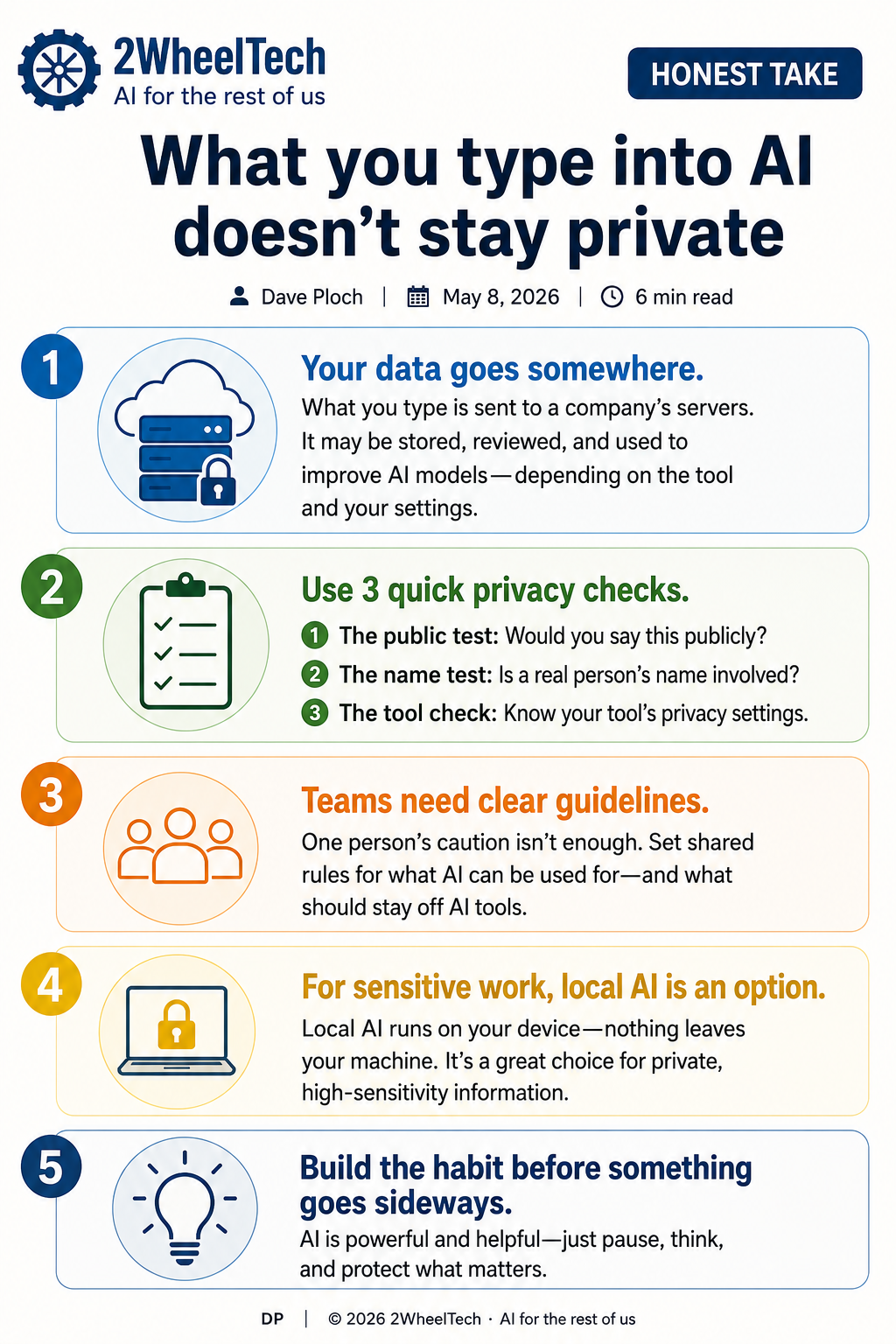
When you type something into ChatGPT, Gemini, Claude, or most major AI platforms, that input travels to a company's server over the internet. Depending on the tool and your account settings, it may be stored for a period of time. It may be reviewed by employees for safety or quality purposes. It may be used — again, depending on the platform and your specific settings — to help train future versions of the model.
Most of the time, that's fine. You're asking about a recipe. You're brainstorming a caption. You're drafting an email to a vendor. Send it.
But some of what people type into AI tools isn't fine to send to a company's servers — and they do it anyway, because they haven't thought about it. I see this constantly, and it's not a technology problem. It's a habit problem. Nobody told them to think about it.
This post is me telling you to think about it.
What the privacy policies actually say
Every major AI platform has a privacy policy. Most people haven't read it, which is understandable — they're long, dense, and written by lawyers. Here is the short version of what they generally say:
Your conversations are transmitted to and processed on company servers. By default, many platforms retain conversation history, which can include your inputs. Some platforms use that conversation data to improve their models unless you explicitly opt out. Some offer paid tiers or enterprise plans that provide stronger data protections — no training on your data, shorter or no retention periods.
None of this is secret. It's in the policy. But "it's in the policy" is doing a lot of heavy lifting for something that has real consequences for real people.
The moment a real person's name is attached to what you're typing, you're handling something that belongs to someone else.
That's where the risk gets specific. Not in asking AI to write your meeting agenda. In asking AI to help you draft a difficult conversation about an employee's performance. In describing a congregant's health situation so AI can help you craft a pastoral note. In typing out the details of a family's financial hardship because you need help writing a letter of support.
The information was private before it left your keyboard. It stopped being entirely private the moment you hit send.
Three checks that take about 30 seconds
I'm not suggesting you stop using AI tools. They're useful, and the privacy risks for most everyday tasks are low. What I'm suggesting is that you build a short habit before you type anything sensitive.
These three checks cost nothing and change how you use AI.
The public test. Before you type anything into a standard AI tool, ask: would I say this in a public forum? If you wouldn't say it from a stage or post it publicly, it probably shouldn't go into a tool you don't control. This isn't a legal standard — it's a gut check. Your brain already knows the difference between "help me brainstorm post ideas" and "here's the situation with our staff member."
The name test. If a real person's name is in what you're about to type, pause. First names are usually fine in generic contexts. But "help me draft a message to Sarah about her chronic absences" is a different thing entirely. The name is the signal that you've moved from abstract to specific — from general to personal. Specific is where the risk lives.
The tool check. Do you actually know where your most-used AI tool sends your data? Most people don't. Pull up the privacy settings on whatever tool your team or organization uses most. Look for data retention settings. Look for options to opt out of model training. Some tools make this easy and visible. Others bury it. The act of looking is itself useful — you'll probably find settings you didn't know existed.
Open the AI tool you use most. Go to Settings. Look for anything labeled "Privacy," "Data Controls," or "Improve the product." Note what's turned on by default. Note what you can turn off.
That five-minute exercise changes how you think about the tool from that point on.
Where this gets complicated for teams and organizations
Individual awareness matters, but it only goes so far. If you're part of a team — a church staff, a nonprofit, a small business — the individual habits of one person don't protect everyone.
The risk compounds when a team is using AI tools without shared guidelines. One person is careful. Another doesn't know there's anything to be careful about. A third has been using the free tier of a consumer tool for work because it's convenient, not realizing that the free tier has weaker data protections than the paid one.
Organizations that handle sensitive information — counseling situations, personnel matters, financial assistance, medical circumstances — need a clear answer to: "What can we use AI for, and what can't we?" That answer doesn't have to be complicated. A one-page guidance document and a five-minute conversation can cover it. But somebody has to decide it and communicate it.
If that hasn't happened where you work or volunteer, you're operating on default settings — which usually means no settings at all.
The honest take
The AI companies aren't doing anything nefarious here. They're disclosing what they do with your data. The problem is that "it's disclosed" and "people understand it" are two entirely different things, and the current AI moment has moved faster than most people's mental model of where their information goes.
The tools are good. They'll save you time. They'll help you write and think and organize. But they were built for general use, and your sensitive information is not general. The standard consumer tools and the sensitive use cases are a mismatch — not because the tools are broken, but because they weren't designed for those cases.
The answer for high-sensitivity work isn't "stop using AI." It's "use the right AI for the right job." That means understanding what your current tools actually do with your data, adjusting your settings where you can, and knowing that for certain work — the kind where information has to stay inside the walls — there are other options.
When the work has to stay local
There's a category of AI tool that doesn't send anything to any server. These are models that run locally on your device — your computer processes the request, generates the response, and nothing leaves your machine.
The quality has caught up considerably. Running a capable local model isn't the technical project it used to be, and the output for many tasks is comparable to the cloud-based tools. The tradeoff is setup time and hardware requirements — you need a reasonably capable machine, and you need to spend an hour or two getting it configured.
That's not the right fit for every person or every situation. But if you work with sensitive information regularly — pastoral care, counseling, personnel, financial assistance, legal matters — it's worth knowing that local AI exists, what it takes to set it up, and what kinds of work it can actually handle. That's a longer post, and I'll write it. For now, the thing to know is that it's an option.
Start with one change
You don't have to overhaul how your team uses AI tools this week. But you can do one thing: run through the three checks yourself, and then share the habit with one other person who uses these tools.
The public test. The name test. The tool check.
Those three things won't solve every AI privacy problem, but they'll stop the most common one — which is using a powerful, convenient tool without stopping to think about what it does with what you give it.
That's a habit worth building before something goes sideways rather than after.