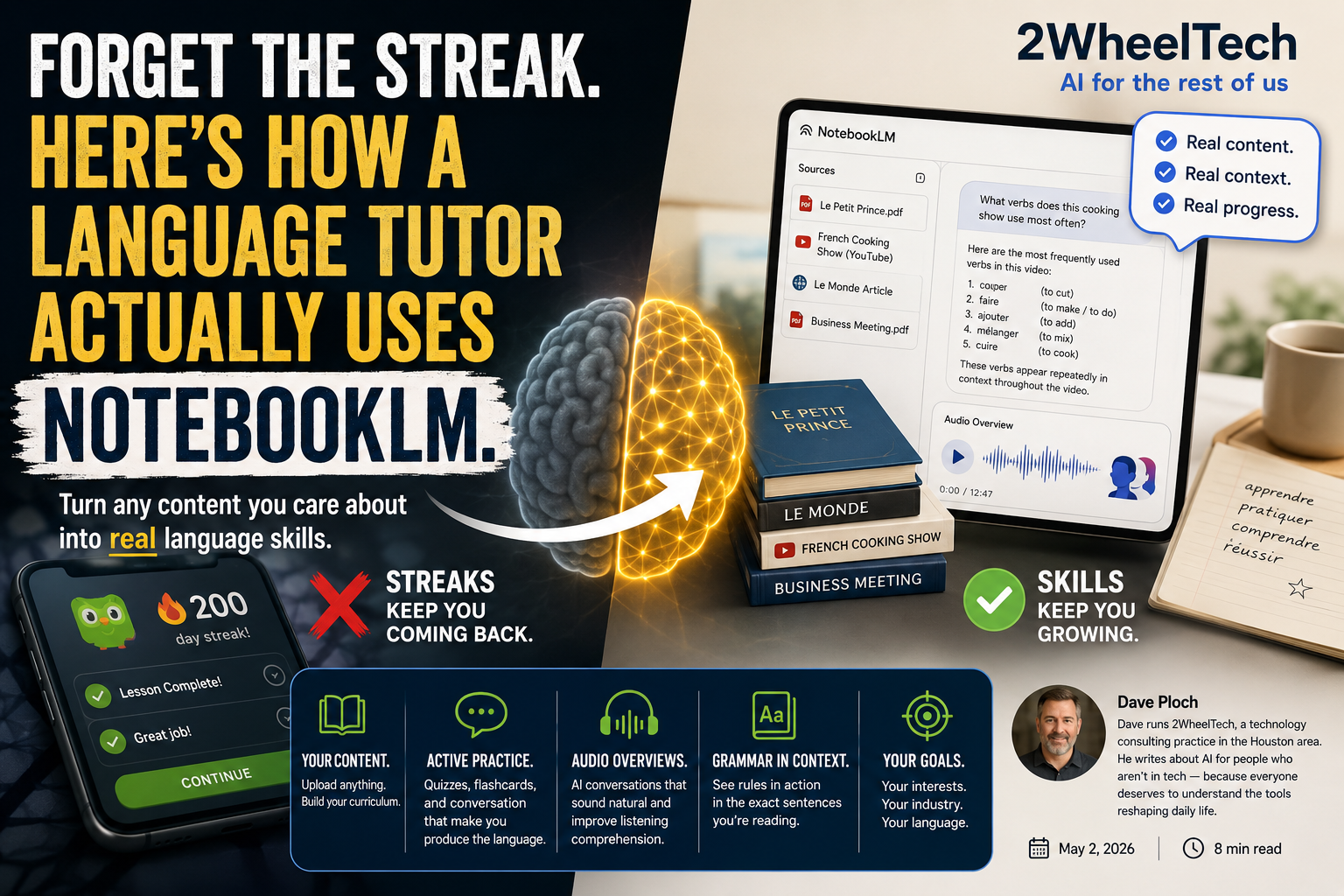
I have a friend who's been on a 200-day Duolingo streak. She can tell you that the dog drinks milk and the boy is eating an apple. She cannot order a meal in Madrid. She is not alone.
I've spent time talking to language tutors about this — the gap between "keeping the app alive" and actually acquiring a language. What I keep hearing from them is that the biggest problem with most language apps isn't that they're bad. It's that they're designed around the wrong goal. They optimize for daily engagement, not for the way the brain actually builds language. And now that I've spent time watching how some tutors use NotebookLM, I want to share what they're doing — because it's a genuinely different way to think about this.
The game vs. the brain
Duolingo, Babbel, Memrise — these are games that teach some language along the way. That framing isn't an insult. Gamification works for habit formation, and if you're five days into Spanish, a streak is useful scaffolding. The problem is that most people use these apps long past the point where the game mechanics help them. They get stuck in recognition mode: choosing the right answer from a list of four options. That's not language production. You can pass every Duolingo lesson and still freeze the moment someone actually talks to you.
NotebookLM isn't a language app at all. It's a research and learning tool built around your own sources. You upload documents, YouTube links, PDFs, web articles — and then chat with an AI that only knows what you've given it. That constraint, which sounds like a limitation, is actually the whole point. When a tutor builds a language notebook in NotebookLM, the AI doesn't know some generic Spanish curriculum. It knows your Spanish sources. Your interests become the curriculum. That's a shift that generic apps can't replicate.
The source-grounded advantage
Here's what this looks like in practice. Say you're learning French. You upload a PDF of Le Petit Prince, a YouTube link to a French cooking show, and a news article from Le Monde. Now when you ask NotebookLM a question about vocabulary, it doesn't reach for a generic lesson on café phrases. It pulls from the specific texts you gave it.
Ask it "what verbs does this cooking show use most often?" and you get a vocabulary list grounded in that exact video — the words a French cook actually uses when they're working, not the words a language curriculum committee decided beginners should know. This creates what tutors call contextual hooks: your brain remembers words better when they're attached to something specific you care about, rather than free-floating on a flashcard about a fictional boy and his apple.
The same logic applies to business professionals learning Spanish for work. Upload your company's Spanish-language materials, a trade publication from a Latin American market, a few meeting transcripts. The AI now speaks your industry's Spanish, not the tourist Spanish that most beginner apps push.
Apps are great for the first ten days of a language. NotebookLM is for the three hundred days after that — where you need to bridge the gap between "knowing words" and "understanding the world."
Active practice: from recognition to production
Most language apps are built around recognition — you see or hear something and pick the right answer. That's a useful starting point, but language acquisition requires production: forming sentences yourself, generating words under pressure, constructing meaning without a multiple-choice safety net. This is the gap most apps never close.
NotebookLM has two features that push you toward production in ways that feel natural rather than stressful. The first is automatic flashcard generation from your uploaded sources. You can use the built-in Study Guide or Flashcard tool to pull vocabulary and phrases directly from your documents. Because those flashcards come from your own sources, they're connected to things you've already encountered — which means your brain has more to hook them to.
The second is interactive quizzing through the chat. You tell it exactly what you want: "Using only the vocabulary from the 'Business Meeting' PDF I uploaded, quiz me on formal greetings. Ask one question at a time and wait for my response." It does exactly that. You produce the language — you don't just recognize it. And when you get something wrong, the explanation is in the context of your actual document, not a generic textbook correction.
The Verb Notebook: Upload a list of 50 common irregular verbs and prompt NotebookLM to write a short story using only five of them at a time. Read the story, then ask it to quiz you on just those five verbs in different tenses. Rotate through all fifty over a few sessions.
The YouTube Pipeline: Use the YouTube source feature to import transcripts from vlogs or podcasts in your target language. Ask the AI to identify ten phrases people actually use in casual speech — not the phrases textbooks use. This is how you learn how people talk, not how they write.
Bilingual Reports: Paste in a paragraph from any source you've uploaded and ask for a "bilingual breakdown" — each sentence in the target language with the English translation below it, plus a one-line note on any grammar worth knowing. It's like annotating your own reading material on demand.
Audio Overview as an immersion tool
This is the feature that surprises most people when they first try it for language learning. NotebookLM can generate what it calls a Deep Dive Audio Overview — an AI-generated podcast-style conversation where two voices discuss the content of your uploaded sources. If you've heard it, you know it doesn't sound robotic. It sounds like two people genuinely talking through the material.
For language learners, the workflow is this: upload a complex article in your target language, then generate the Audio Overview. You get a ten-to-fifteen minute conversation — natural pacing, real intonation patterns, the kind of banter and back-and-forth that exposes you to how the language actually flows. It's not a vocabulary drill. It's closer to sitting in on a conversation between two people who are discussing the exact article you just read. That combination of input (reading) followed by listening comprehension (the audio) is a well-established language acquisition pattern, and NotebookLM makes it easy to do with any text at all.
One tutor described it to me this way: it's like having two native speakers do your homework out loud in front of you. The voices, the natural hesitations, the way they transition between ideas — all of that is input your brain is processing even when you're not consciously studying.
Grammar without the lecture
Grammar tables are one of the least effective ways to learn grammar. You memorize the table, pass the quiz, and then watch your brain immediately fail to apply the rule when you're actually reading or speaking. What works better is seeing grammar in context — understanding why a specific sentence uses the construction it does.
NotebookLM lets you do exactly that with your own sources. Upload a Spanish transcript and ask: "Find every instance of the subjunctive mood in this transcript and explain why it was used in that specific sentence." You don't get a dry rule about "doubt, wish, emotion, and uncertainty." You get twenty concrete examples from a text you've already read, each one explained in plain terms. That's how the why behind the grammar sticks — when it's attached to a sentence you already have a relationship with.
The same approach works for any grammar concept that trips people up: ser vs. estar, the French subjunctive, German case endings, the difference between preterite and imperfect. Ask about it in the context of something you've actually read, and the explanation lands differently than any textbook ever will.
How NotebookLM compares to dedicated apps
| Feature | Language apps (Duolingo / Babbel) | NotebookLM |
|---|---|---|
| Content | Pre-set generic lessons | Anything you upload — PDFs, YouTube, web articles |
| Context | Abstract or repetitive scenarios | Your actual interests and goals |
| Practice type | Recognition (multiple choice) | Production — you generate the language |
| Feedback | Right / wrong buttons | Conversational, contextual explanations |
| Audio | Canned phrases, robotic read-aloud | Dynamic AI conversation about your specific material |
| Grammar | Rule tables and pattern drills | Grammar explained in the context of your sources |
| Goal | Maintaining a streak | Mastering specific material |
The honest take
NotebookLM won't correct your pronunciation. It has no speech recognition, no speaking exercises, no way to hear you stumble over a word and give you feedback on it. If your goal is to speak a language fluently, you still need time with actual speakers — real conversations, language exchange partners, watching TV without subtitles. NotebookLM is a reading, listening, and writing tool. It's an extraordinary one, but it's not a full replacement for immersion in the spoken language.
There's also a real skill involved in using it well. You have to choose good sources, write useful prompts, and know what you want to practice. That makes it much better than apps for motivated learners and probably harder to stick with for someone who needs the game mechanics to show up at all. Be honest with yourself about which type you are. If you need Duolingo to form the habit in the first place, use it. Just don't confuse habit-formation with language acquisition. They're not the same thing, and most people hit a wall around day 30 when the streak is healthy but the language isn't growing.
Where to start
If you're already using NotebookLM for other things, the simplest entry point is one YouTube link. Pick a video in your target language — a cooking show, a news segment, a vlog about something you actually care about — and import it as a source. Then ask for ten phrases from the video that a native speaker would use in everyday conversation, and ask it to explain each one. That's it. That's the first session. It takes about twenty minutes and it will feel different from anything a language app has ever given you.
If you're starting from scratch, build a small notebook around a single topic you genuinely care about in the language you're learning. Business, cooking, soccer, travel, architecture — doesn't matter. Upload three or four sources on that topic. That's your curriculum. The app you've been using has a curriculum too, but it was designed by a committee for an imaginary average learner. Yours was designed by you, for you. That difference is the whole game.