Imagine running into someone you've had three good conversations with — and they look at you like they've never seen you before. That's the experience of opening a new chat with an AI tool you use every day.
It catches a lot of people off guard. You told it your job last week. You explained your whole situation. You got it working exactly the way you wanted — and now it's gone. This isn't a glitch. It's by design. And once you understand why, you'll be a lot less frustrated and a lot more effective.
AI doesn't have ongoing memory. Each new conversation starts completely blank — it has no idea who you are, what you talked about before, or what you were working on.
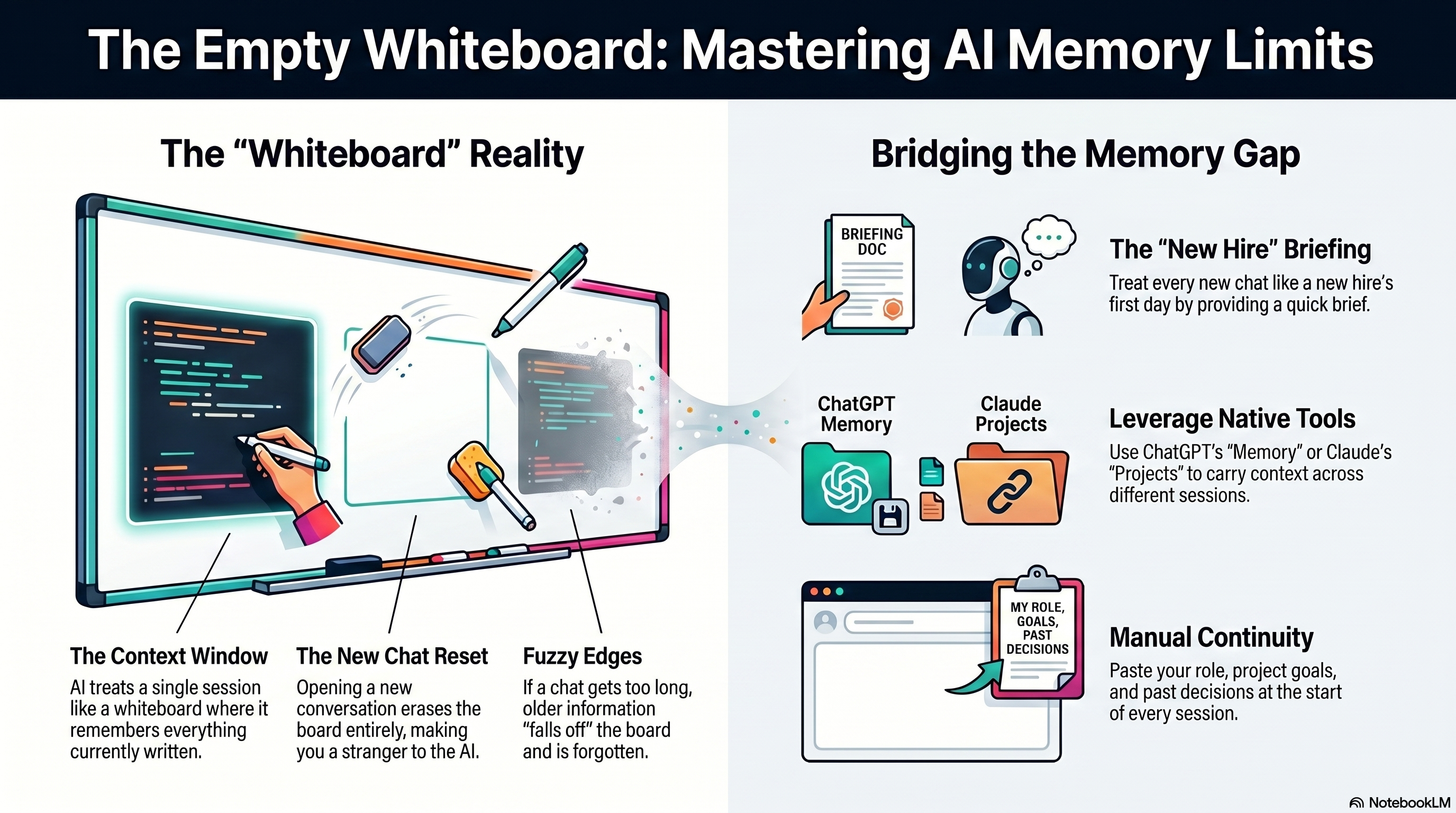
Within a single conversation, though, AI does remember everything. Think of it like a whiteboard. As long as you're in the same session, everything written on that board is visible — every question you asked, every answer it gave, everything you told it about yourself. That's called the context window, and it's why a long conversation can feel surprisingly natural. The AI isn't just answering your latest message in isolation; it's reading the whole board each time. The catch is that the board has a size limit. A very long conversation can start to get fuzzy at the edges as older parts fall off, which is why the AI might seem to forget something you mentioned two hours ago even in the same chat.
Close the window and open a new one, though, and someone erased the entire board. You're a stranger again. This matters more than people realize. If you've been using AI to help plan a project over multiple sessions, it has no memory of what you decided last time. If you shared your job title, your company situation, your preferences — you'll be re-explaining all of it from scratch. Every single time.
So What Can You Actually Do About It?
A few things — some built into the tools, one that just takes thirty seconds and works everywhere.
ChatGPT Memory. ChatGPT has a Memory feature that lets it save specific facts across sessions — things like your job, your communication style preferences, or ongoing projects you've mentioned. You can turn it on in Settings → Personalization → Memory, and you can view or delete anything it's saved at any time. When Memory is on, ChatGPT will occasionally save something it thinks is worth keeping, and you can also tell it directly: "Remember that I prefer bullet points over paragraphs." It's not instant or guaranteed, but over time it builds up a useful set of briefing notes that get attached to the start of each new conversation. The catch: it works across conversations but not across different accounts or devices unless they're synced.
Claude Projects. Claude's approach is slightly different. Projects let you create a dedicated workspace with a persistent set of instructions and uploaded files — a kind of permanent context block that's always there when you open a conversation in that project. You set it up once: name the project, write a description of who you are and what you're working on, and optionally upload reference documents. From then on, every conversation in that project starts with that context already loaded. It's more intentional than Memory — you're in control of what it knows — and it tends to give more consistent results because the context is always exactly what you wrote, not what the AI decided to save.
The manual approach (works everywhere). Keep a short context block in your notes app — two or three sentences about who you are, what you're currently working on, and any standing preferences. Paste it at the top of every new chat, regardless of which tool you're using. It takes thirty seconds, it works in ChatGPT, Claude, Gemini, or anything else, and it gives you complete control over what the AI knows going in. Think of it like briefing a new hire on their first day: they're capable and ready to help — they just need to know the situation before you send them off to do something.
None of these are magic. But once you stop expecting AI to remember you automatically and start actively managing that context — whether through Memory, Projects, or a paste-in brief — the whole experience gets a lot smoother.