You've got access to AI. You know it's there. But every time you open it, you stare at the blinking cursor and think: okay, but what do I actually ask it?
That's not a you problem. Most people who feel stuck with AI aren't missing some secret skill — they just haven't tried a few specific things that work well and save real time. Here are five. You can try any of them today, in about five minutes.
First, a quick setup note
When I say "AI" here, I mean tools like ChatGPT, Google Gemini, or Claude. All three have free versions that work fine for everything on this list. You type something in, it responds. No special setup, no account linking, no paid plan required.
The goal here isn't to explain how AI works. It's to give you five concrete things to type in so you can see for yourself what it can actually do.
Thing 1: Draft the message you've been putting off
Most of us have one sitting in the back of our minds. A complaint email to a company that got it wrong. A "no thanks" reply to someone who asked a favor you can't do. A follow-up to a doctor's office that still hasn't called back. A message you need to send but keep not sending because you don't want to get the tone wrong.
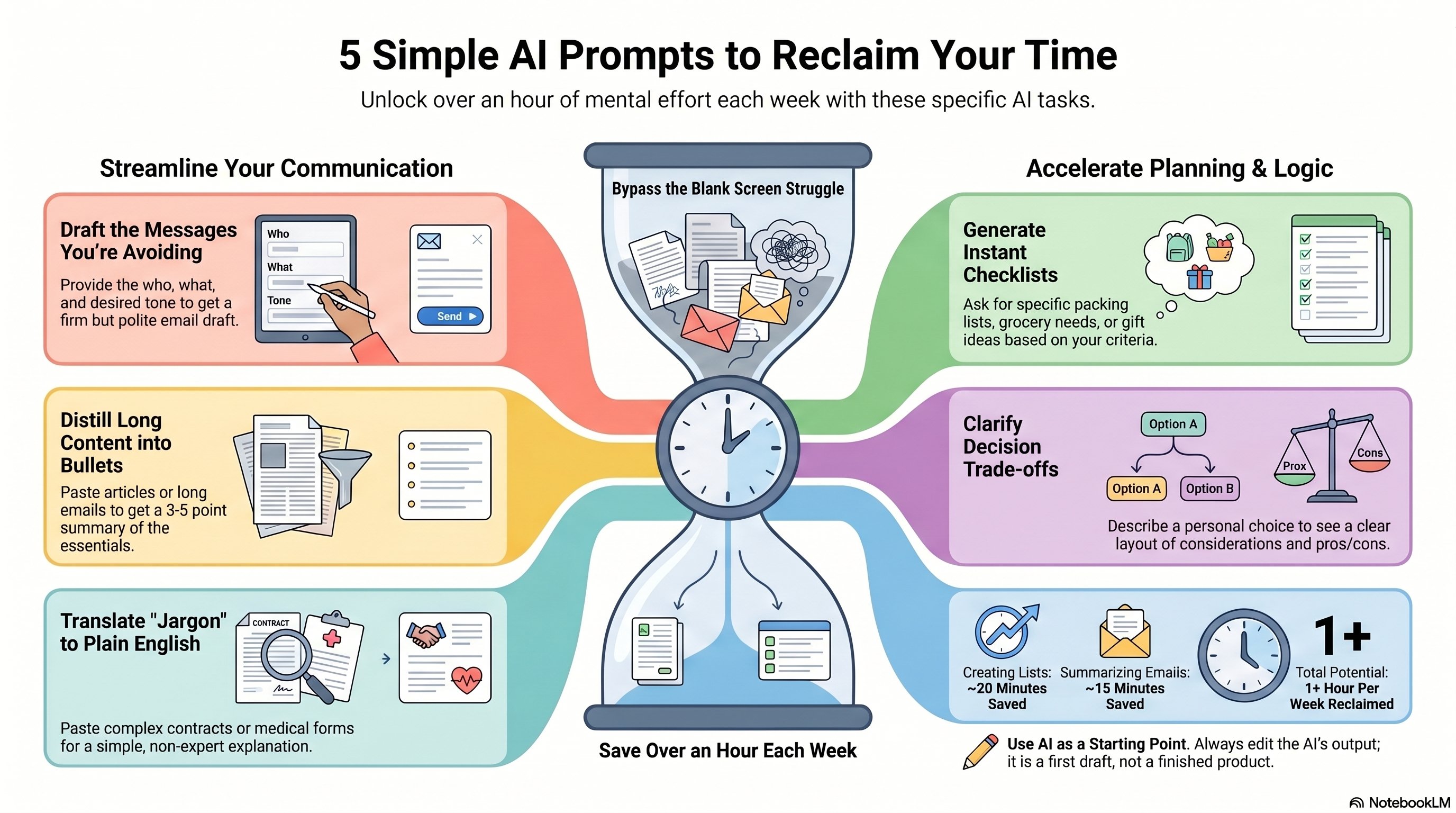
Tell AI exactly that. Give it the who, the what, and how you want to come across. Something like: "I need to write an email to my landlord about a repair they've been ignoring for three weeks. I want to be firm but not rude. Here's the situation: [two or three sentences]." It'll give you a solid draft in seconds. You'll probably tweak it — and that's fine. Editing a draft is faster than staring at a blank screen.
Tell it how you want to sound. "I want to be polite but clear" or "keep it professional but not cold" goes a long way. The more context you give, the less you'll need to fix.
Thing 2: Get a plain-English explanation of something confusing
Medical paperwork. An insurance form. A section of your lease. A bill that doesn't add up. Terms of service you know you should have read but didn't.
Paste it in and ask: "Can you explain this to me in plain English? I'm not an expert in this area." It won't replace a doctor, a lawyer, or an accountant — but it can help you understand what you're actually looking at well enough to ask smarter questions when you talk to one. That's genuinely useful.
Thing 3: Make a list that would've taken you twenty minutes
Packing for a trip? Ask: "I'm going to [place] for [number] days in [season]. What should I pack?" You'll have a starting list in ten seconds — probably a better one than you'd throw together at 11pm the night before you leave.
The same approach works for groceries ("I want to cook these three dinners this week, what do I need to buy?"), a home project checklist, or gift ideas ("What are some gifts for a 68-year-old who likes gardening and doesn't need more stuff?"). AI is fast at this in a way that saves a surprising amount of low-grade mental effort.
If the list isn't quite right, tell it why. "Skip the camping gear, I already have a tent" or "add more options under $30" gets you what you need without starting over.
Thing 4: Summarize something long
This is one of AI's most reliable tricks. Paste in a block of text and ask: "Give me the main points in three to five bullet points" or "Summarize this in two sentences." Works on articles, emails, meeting notes, contract sections, anything.
If it's too long to paste, give it a URL and ask it to summarize the page. (Works well with most public web pages. Paywalled content is hit or miss.) If you get long emails from your HOA, your kid's school, or your city council, this one alone might save you fifteen minutes a week — and spare you from having to read the whole thing to find out there's a meeting you don't need to attend.
Thing 5: Think through a decision out loud
This one surprised me the first time I tried it.
Describe a decision you're sitting on. Doesn't need to be major — "Should I renew my gym membership or try something different for a few months?" or "I'm deciding between two options for my kid's birthday party and I can't figure out which one makes more sense." Give it the relevant details, then ask it to lay out the trade-offs.
It won't tell you what to do. But it will put the considerations in front of you clearly — including things you hadn't thought of. A lot of times, seeing a decision written out is all it takes to realize you already know what you want to do.
A quick reality check
None of these work perfectly every time. AI gets things wrong. It sometimes sounds a little too formal, or misses the point of what you were going for, or gives you a packing list that includes seventeen things you'd never bring. That's fine — treat everything it gives you as a starting point, not a finished product. The time you save on a first draft or a quick summary is still real, even if you spend two minutes editing it.
One practical note: don't paste in anything you'd consider sensitive — account numbers, passwords, detailed medical information with your name attached. Use the same judgment you'd use anywhere else online.
Your move
Pick one thing from this list. Just one. The message you've been avoiding is usually a good place to start — it's immediately useful, and you'll feel better once it's done.
Open ChatGPT, Gemini, or Claude. Describe what you need. See what comes back. You don't need to become a power user or learn any tricks. You just need to know what to ask. Now you've got five things to try.